
Does Your Internet Work When the Power Goes Out? Only if your router has power.
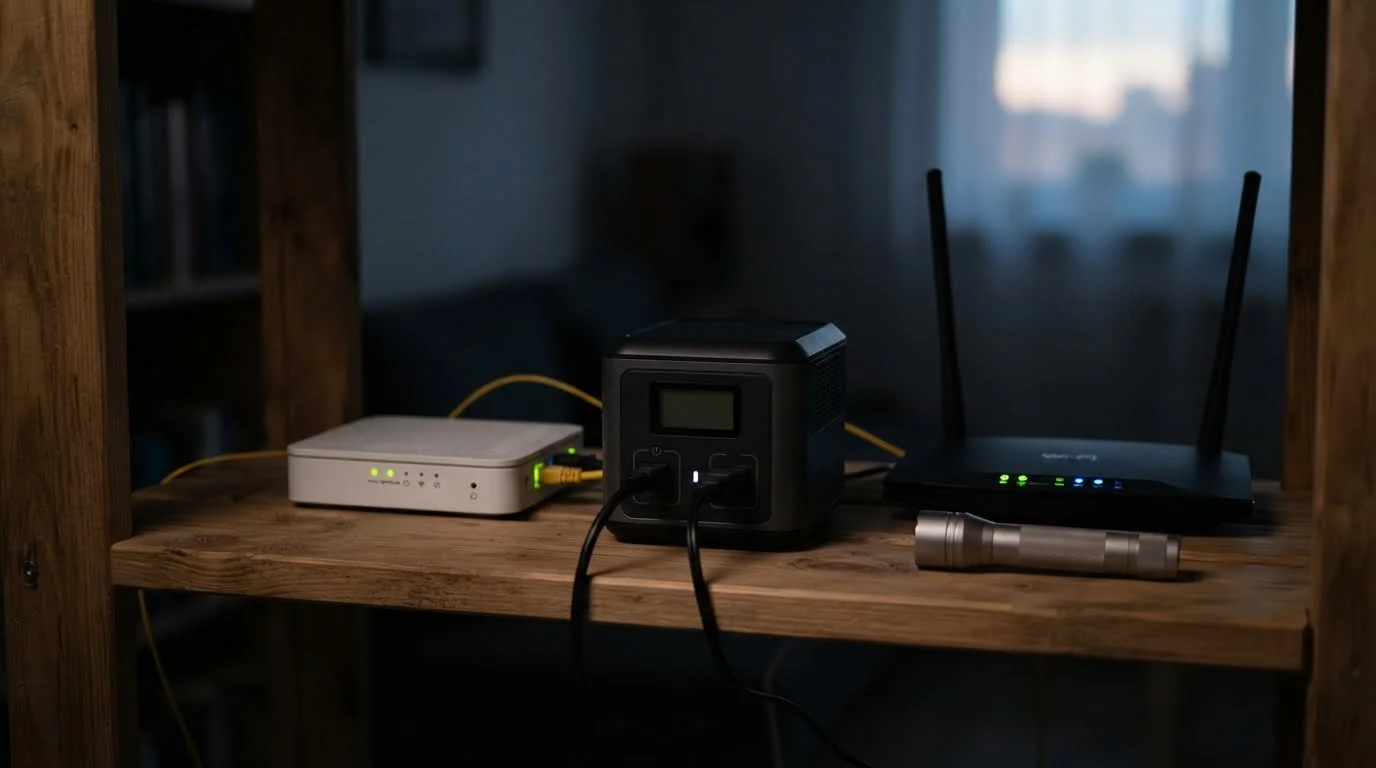
Your Wi-Fi router, modem and fiber box all plug into the wall. When the power goes out, they go dark, even if the internet lines outside are still working. A small battery behind your router can keep you online for hours.
What kind of internet do you have?
Have Starlink? Read the full guide to running Starlink when the grid goes down.
Wondering what else stops when the power goes out? See what still works when the grid goes down: water, phones, furnace, fridge and more.
No, not on its own. Your router and modem need wall power, so your Wi-Fi shuts off in a blackout. The network outside often keeps running, though. Put a battery behind your router and most fiber and cable connections stay online for hours. 5G home internet and Starlink need a bigger battery.
By Ed Watts, home battery advisor. Ed kept his own Starlink online on battery power through a California power shutoff.
Which Types of Internet Work When the Power Goes Out?
Most of them can, if the equipment in your home has power. In a typical outage, the problem isn't the network outside. It's the router, modem or gateway inside your house. Fiber providers like Ziply say your internet keeps working on battery or generator backup unless the line itself is damaged.
Each type of internet has its own weak spot. Here's what has to stay powered for each one, and what to plug it into.
| Internet type | What needs power in your home | Does the network outside keep running? | What to put on a battery |
|---|---|---|---|
| Fiber | The fiber box (ONT) and your Wi-Fi router | Usually. The fiber line carries no power. Provider equipment upstream usually has its own backup. | A small router battery, with both the fiber box and router plugged in |
| Cable | Modem and router, plus a signal amplifier if your installer added one | Often, for a while. Neighborhood equipment needs power. Many providers back it up, but backup batteries can run down in long outages. | A router battery or plug-in UPS. Power the amplifier too, if you have one. |
| DSL | The DSL modem and router | Usually. Phone company offices are built to run through local outages. | A small router battery |
| 5G home internet | The 5G gateway (T-Mobile, Verizon or AT&T) | Usually. Cell towers often have robust backup power. Expect slower speeds if the whole area is down. | A plug-in UPS or a power station. Many 5G gateways run on 15 volts, more than most small router batteries put out. |
| Starlink | The dish and the Starlink router | Yes. The signal comes from satellites, not local lines, so a local outage doesn't touch it. | A portable power station |
| Phone hotspot | Just your phone | Usually, but slower. When a neighborhood loses power, everyone switches to cell data at once. | A power bank. Good for checking news, not for a workday. |
Network behavior varies by provider and by outage. A storm that brings down lines or poles can knock out any wired service, even with backup power at home.
How Much Battery Does My Internet Need?
Less than most people think. A fiber or cable setup draws about as much power as a small LED bulb. Starlink and 5G gateways draw more, which is why they need a bigger battery.
The math: battery size in watt-hours, times 80 percent, divided by your equipment's watts, equals hours of runtime. The 80 percent covers the energy lost converting battery power to wall power.
| Your setup | Typical draw | TalentCell 12V router battery (97 Wh) | BLUETTI Elite 100 V2 (1,024 Wh) | BLUETTI Apex 300 (2,765 Wh) |
|---|---|---|---|---|
| Fiber box + router | About 15 watts | About 5 hours | About 2 days | About 6 days |
| Cable modem + router | About 18 watts | About 4 hours | Nearly 2 days | About 5 days |
| 5G home gateway | Up to 45 watts | Usually not compatible (15V) | At least 18 hours | At least 2 days |
| Starlink Mini | 20–40 watts | Not compatible | About 20–40 hours | About 2–4 days |
| Starlink Standard | 75–100 watts | Not compatible | About 8–11 hours | About 22–29 hours |
Estimates use 80 percent of each battery's rated capacity. Power draw sources: fiber box and cable router figures from published measurements; 5G gateway from T-Mobile's G4AR spec sheet (45 watts is its maximum, so real runtime is usually longer); Starlink from Starlink's support pages. Your exact runtime depends on your equipment and how hard you use it.
Check your adapter before you buy
Look at the power brick for your router or fiber box. It lists the voltage, usually 12V. A small router battery has to match it, or it won't work and could damage your router.
Plug in both boxes, not just one
Fiber homes have two boxes: the fiber box on the wall and the Wi-Fi router. Cable homes may have a modem and a router. If either box loses power, the internet goes down.
What's the Best Battery Backup for Your Router?
It depends on what kind of internet you have. Fiber, cable and DSL homes can get by with a small router battery. 5G home internet and Starlink need a regular UPS or a portable power station. Here are the four I'd pick, from smallest to largest.
As an Amazon Associate, I earn from qualifying purchases. It doesn't change your price.
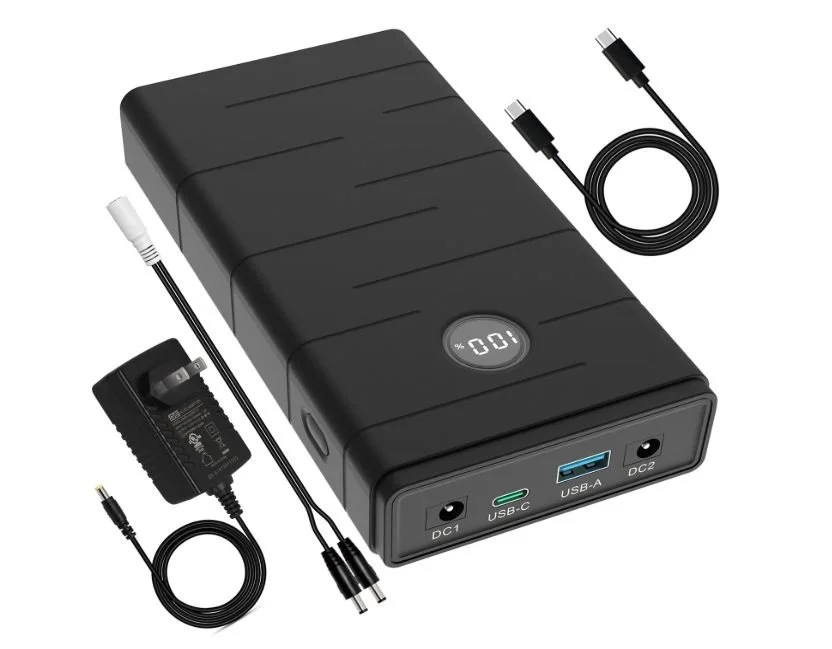
TalentCell 12V Router Battery
Best for: fiber, cable and DSL routers
- Sits between the wall and your router, and takes over when the power drops
- 12V DC output, the voltage most routers and fiber boxes use
- About 4 to 5 hours for a fiber or cable setup (see the runtime table above)
- Small and silent, with no extension cords and nothing to set up when the power goes out
Check the power brick on your router and fiber box first. If it says 12V, this is a match. If it says 15V or higher, go with the APC below.
Check price on Amazon →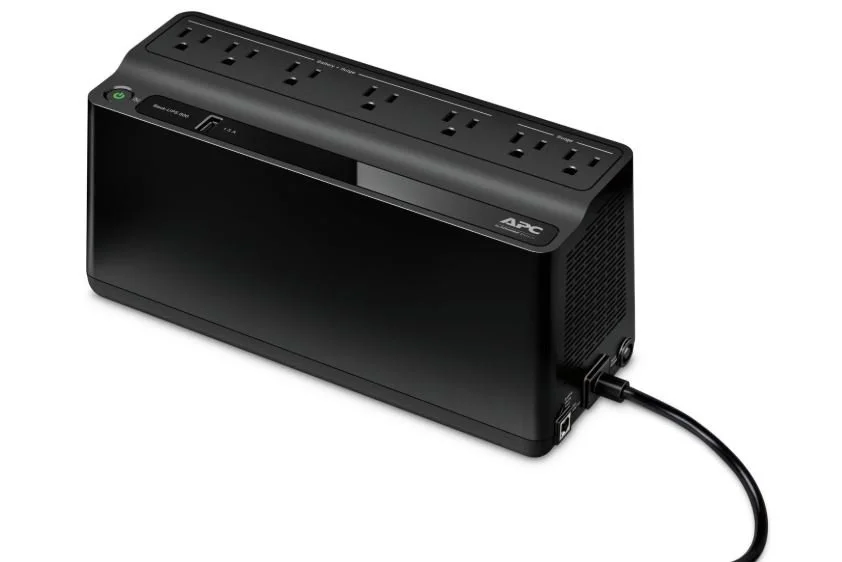
APC Back-UPS BE600M1
Best for: 5G gateways and any router with a non-12V adapter
- Regular wall outlets, so it works with any power adapter
- 7 outlets, 5 of them on battery backup, plus a USB charging port
- APC says it can run home networking equipment for up to nearly 6 hours
A good everyday choice that also protects your gear from power surges. For outages that last more than a few hours, step up to a power station.
Check price on Amazon →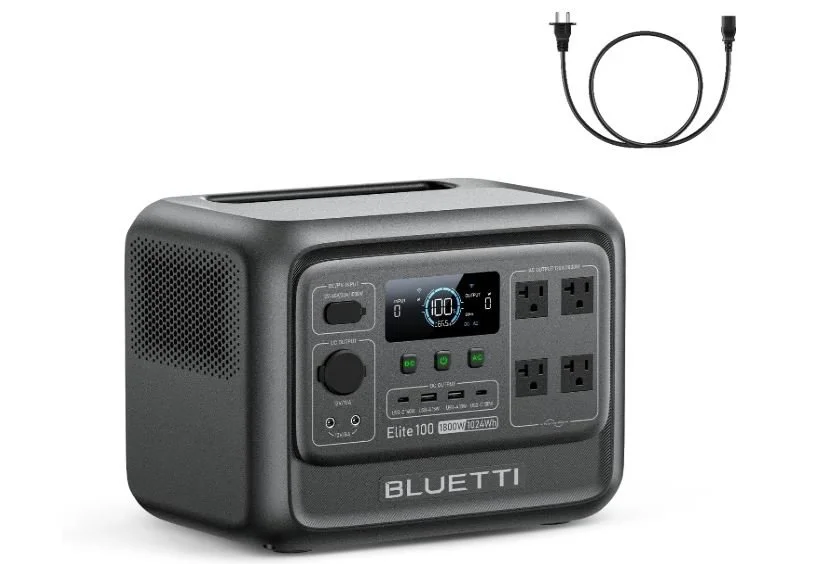
BLUETTI Elite 100 V2
Best for: Starlink and overnight outages
- 1,024 watt-hour battery with 1,800 watts of output
- Switches to battery in about 10 milliseconds, so your Wi-Fi doesn't drop
- About 20 to 40 hours on a Starlink Mini, or about 2 days on a fiber setup
- About 25 pounds, light enough to carry room to room
Also keeps phones, laptops and lamps charged, so one unit covers your whole outage kit.
Check price on Amazon →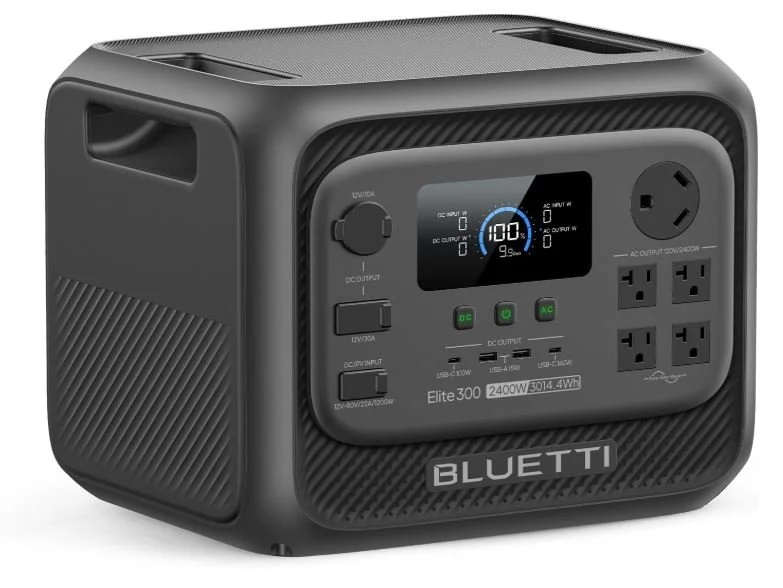
BLUETTI Apex 300
Best for: storms and shutoffs that last for days
- 2,765 watt-hour battery with 3,840 watts of output
- About 22 to 29 hours on a Starlink Standard, or about 6 days on a fiber setup
- Expandable with add-on batteries if you want more backup later
Powerful enough to run your internet plus a fridge, lights and phone charging through a long outage.
Check price on Amazon →What Does Staying Online Look Like in a Real Shutoff?
For me, it looked like a normal evening. Here's what happened at my house during a planned power shutoff in California.
From Ed's house
My utility shut off power to my area for a fire-safety shutoff. My whole street went dark. The shutoff lasted less than a day.
My Starlink dish and router ran on my home battery the entire time. I never lost internet. My lights, fridge, freezer and heat stayed on too.
You don't need a whole-home battery to get the internet part. A router battery or a power station does that job. The home battery is what kept everything else running.
Ed Watts, home battery advisor
In California? See what a home battery could cost after rebates →
Will My Internet Work in a Widespread Outage?
Usually at first, but it gets less certain the longer and wider the outage runs. Your provider's equipment needs power too. Many providers back it up with batteries and generators, but backup practices vary by location and provider.
Your street or neighborhood
Your internet very likely stays up
The network outside is still running. If your router has battery power, you stay online. This is the most common kind of outage.
A whole region, for many hours
It depends on your provider
Cable equipment on poles and in neighborhood cabinets runs on backup batteries that can run down. Cell networks slow down as everyone switches to their phones.
Storm damage to lines
Wired service can go down
If a tree takes out the lines on your street, fiber, cable and DSL go down no matter how much battery you have. Wireless options keep working.
The safest plan: two ways to get online
Keep your home internet on a battery, and have a backup that doesn't use the same lines. For most people, that's a phone hotspot with a charged power bank. If staying online really matters, like for remote work, medical devices or a rural home, Starlink is the most independent option because it doesn't depend on local lines. Here's how to run Starlink when the grid goes down.
What Else Do People Ask About Internet in a Power Outage?
Does Wi-Fi work when the power goes out?
No. Your Wi-Fi router needs wall power, so it shuts off in a blackout. Plug it into a battery backup and it keeps running, as long as your provider's network is still up.
Does fiber internet work during a power outage?
Usually, if your fiber box and router have power. The fiber line itself doesn't carry electricity. Put both boxes on a battery backup and most fiber connections stay online through a local outage.
Does cable internet work if the power goes out?
Often, for a while. Your modem and router need battery power, and the cable company's neighborhood equipment needs power too. Many providers back that equipment up, but the backups can run down in long outages.
Does 5G home internet work without power?
Yes, if the gateway has power. Cell towers often have backup power, so the signal usually stays up. Many 5G gateways run on 15 volts, so use a plug-in UPS or a power station instead of a small 12-volt router battery.
Will Starlink work if the power goes out?
Yes, as long as the dish and router have power. Starlink's signal comes from satellites, so a local outage doesn't affect it. A Starlink Mini uses about 20 to 40 watts, and the Standard dish uses about 75 to 100 watts.
How long will a battery backup run my router?
About 4 to 5 hours on a small 97 watt-hour router battery, for a typical fiber or cable setup. A 1,024 watt-hour portable power station can run the same setup for about 2 days.
Can I plug my router into a portable power station?
Yes. Plug the router's normal power adapter into the station's AC outlet. Plug in your modem or fiber box too, because your internet needs both boxes to work.
What size UPS do I need for my modem and router?
A small one is enough. A typical modem and router draw about 15 to 20 watts, so a 600 VA unit like the APC BE600M1 is plenty. APC says it can run home networking gear for up to nearly 6 hours.
Why did my internet go out even though my router has power?
Your provider's equipment may have lost power, or a line may be damaged. In long or widespread outages, neighborhood backup batteries can run down. Storm damage to lines takes down wired internet no matter what you have at home.
Does a phone hotspot work during a power outage?
Usually, but it can be slow. Cell towers often have backup power, but when a whole neighborhood loses power, everyone switches to cell data at once. Keep a charged power bank so your phone lasts.
Is Your Internet Ready for the Next Outage?
A battery behind your router takes five minutes to set up and keeps you connected when the lights go out. Pick the one that fits your internet before the next storm.
Have Starlink? See the full Starlink outage setup