We Never Lost Internet During a PSPS Shutoff. Here’s the Exact Setup
What's the best backup internet for a power outage?
Satellite internet like Starlink, powered by a home battery, is the most dependable setup for a California shutoff. It doesn't rely on local cable lines or cell towers. The Standard kit draws about 75 to 100 watts, so even a portable power station can run it for hours. A phone hotspot makes a good second path.
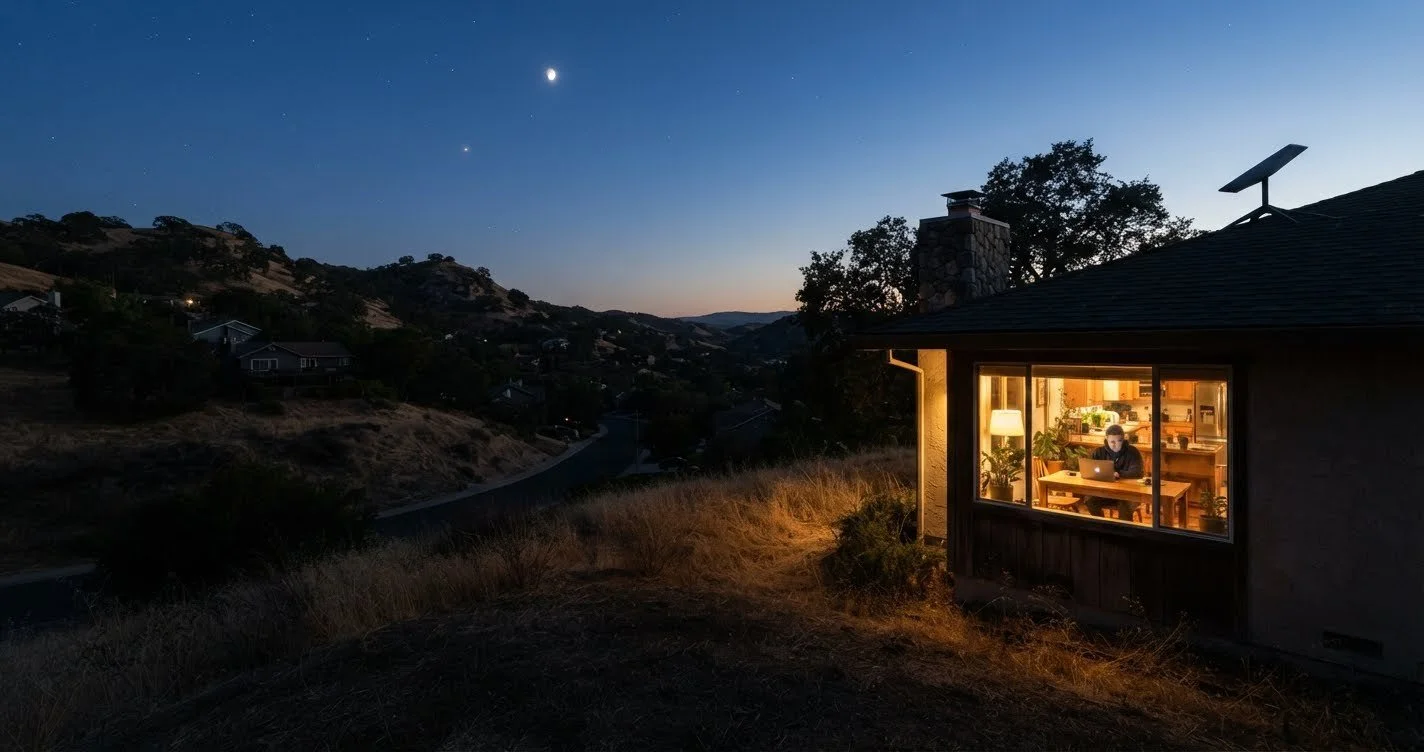
During a PSPS shutoff at my home in the Sierra foothills, the power was out for most of a day. Our Tesla Powerwall kept the Starlink dish and router running the whole time, and we never lost our connection. Here's why that setup works, and what happens to every other type of home internet when the power goes out.
Ed Watts, Solar With WattsWhen PG&E, SCE or SDG&E cuts power for a Public Safety Power Shutoff, cable boxes, fiber terminals and 5G home routers all lose power, and so does some of the equipment between your house and the internet. Even Comcast says Xfinity internet can stop working within hours of a shutoff, sometimes at homes that still have power (Comcast California).
According to PSE Healthy Energy, California PSPS shutoffs have averaged about 41 hours, almost two days, and the longest on record ran close to seven days. A backup that lasts a few hours won't cover that.
Keep your internet and your fridge, lights and medical devices on through the next shutoff.
See How Many Batteries You Need → Free · Shows your cost after any rebates your address qualifies forWhy does your internet go out when the power goes out?
Your internet depends on two things staying powered: the equipment inside your home, and your provider's equipment out in your neighborhood. A battery at home can cover the first. Only your provider controls the second.

Cable internet
Cable signals pass through powered nodes and amplifiers along the lines. Comcast's own California guidance says Xfinity internet may stop working within hours after the power is shut off, and can drop even at a home that still has power (Comcast California). Putting your modem on a battery won't fix that.
Fiber internet
Fiber needs a powered terminal at your house. Federal rules require providers to offer an 8-hour backup battery for 911 calling (FCC rule, Federal Register), but some of those batteries keep only the phone line alive, not the internet (example provider disclosure).
5G home internet
Fixed wireless routers stop working when they lose power, unless you power them yourself (Fairfax County consumer guide). They also depend on the nearest cell tower staying up.
Cell towers
Hundreds of cell towers lost power during the 2019 Kincade Fire shutoffs in Sonoma County (ABC7). Towers in high fire-threat areas now must carry backup power, but coverage still isn't guaranteed. More on that in the hotspot section below.
The bottom line: a battery at home protects only the half of the chain you control. To stay online through a long shutoff, you need an internet connection that doesn't depend on the neighborhood half.
See the outage setup I use at home →Which home internet works best during a PSPS shutoff?
Starlink is the only common home option that doesn't depend on powered equipment in your neighborhood, which is why it holds up best in a long shutoff. Here's how each type compares when the power is out for two days.
| Internet type | Needs neighborhood power? | Weak point in a 2-day shutoff | Outlook |
|---|---|---|---|
| Starlink | No | Needs a battery at home and a clear view of the sky | Most dependable |
| Phone hotspot | Nearby cell tower | Towers can lose backup power or get overloaded | Good second path |
| 5G home internet | Nearby cell tower | Same tower risk as a phone hotspot | Tower-dependent |
| Fiber | Depends on the network | Provider's backup battery may power the phone line only | Network-dependent |
| Cable | Yes, nodes and amplifiers | Service may stop within hours of a shutoff | Often drops |
No option is outage-proof. Starlink has had rare network-wide outages, including an hours-long one in July 2025 (NBC News), and heavy rain can slow it. That's why a phone hotspot makes a good second path.
Starlink plus a battery keeps you online
See exactly how I set up Starlink for a shutoff, and how many hours each battery runs it.
A home battery covers more than Wi-Fi
A Powerwall keeps your internet, fridge, lights and medical devices running, and can recharge from solar during a multi-day shutoff.
See How Many Batteries You Need →Is a phone hotspot enough for a PSPS shutoff?
A phone hotspot is fine for checking alerts, email and fire maps, but it's a risky plan for working from home through a two-day shutoff. Your phone shares the nearest tower with everyone else who just lost their home internet, so speeds can drop right when you need them most.
California does require carriers to keep 72 hours of backup power at cell sites in Tier 2 and Tier 3 high fire-threat districts, according to the CPUC. The rule allows exemptions, though, and it doesn't cover every neighborhood.
- Emergency alerts and evacuation updates
- Texts, email and checking outage maps
- A backup if your main connection drops
- Video calls and a full workday
- Several people online at once
- Two days of use: it drains your phone, and many plans cap hotspot data
The best use of a hotspot is as your second path. Pair it with a main connection that doesn't share the tower, like the Starlink outage setup I run at home, and keep a charged power bank next to your phone.
What happened when the power went out at my house?
"The shutoff lasted most of a day. Our Tesla Powerwall ran the Starlink dish and router the entire time, and we never lost our internet connection."
Ed Watts, Solar With Watts, Sierra foothills
After 10 years of helping California homeowners get ready for outages, that's the setup I recommend. Here's why it worked:
- Starlink skipped the neighborhood. It doesn't depend on local cable nodes or cell towers, so it wasn't affected by what was happening on the street.
- The Powerwall kept it powered. The dish and router stayed powered from the battery the whole time.
- It took no effort. A home battery switches over on its own when the grid goes down, so there's nothing to fuel, move or plug in during the outage.
Shutoffs vary in length, and the longest on record ran close to seven days (PSE Healthy Energy). That's why I size a battery for the long ones, not just the average.
Want this setup sized for your home?
Tell me about your home and I'll put together a free estimate for a system that keeps you running through a shutoff.
Get Your Free Estimate →How do you keep your internet powered through a shutoff?
Size your backup power for the whole shutoff, not just the first few hours. Internet equipment uses surprisingly little energy, so the real question is what else you want running alongside it.
How much power does home internet equipment use?
| Equipment | Average power draw | Energy for a 41-hour shutoff |
|---|---|---|
| Starlink Standard kit | 75–100 wattsKit specs | 3.1–4.1 kWh |
| Starlink Mini | 20–40 wattsAnker, citing Starlink support | 0.8–1.6 kWh |
| Fiber terminal (ONT) | About 10 wattsCPUC | About 0.4 kWh |
Energy figures are average power multiplied by the 41-hour average PSPS shutoff (PSE Healthy Energy). Check your own kit's rating in the Starlink app, since newer hardware may draw less. For scale, one Tesla Powerwall 3 stores 13.5 kWh. † Run your numbers → Powerwall Calculator
Which backup power option fits your home?
Portable power station
Best if internet is the priorityRuns Starlink and a phone or laptop for many hours, depending on its size. No installation, and you can move it where you need it. PG&E and SCE customers in some areas can get a rebate on one: see the PG&E portable battery rebate and SCE portable power rebate guides.
Home battery like Tesla Powerwall
Best for the whole houseKeeps your internet running along with the fridge, lights and medical devices, switches on by itself when the grid goes down, and can recharge from solar during a multi-day shutoff. Compare your options on my home backup power guide.
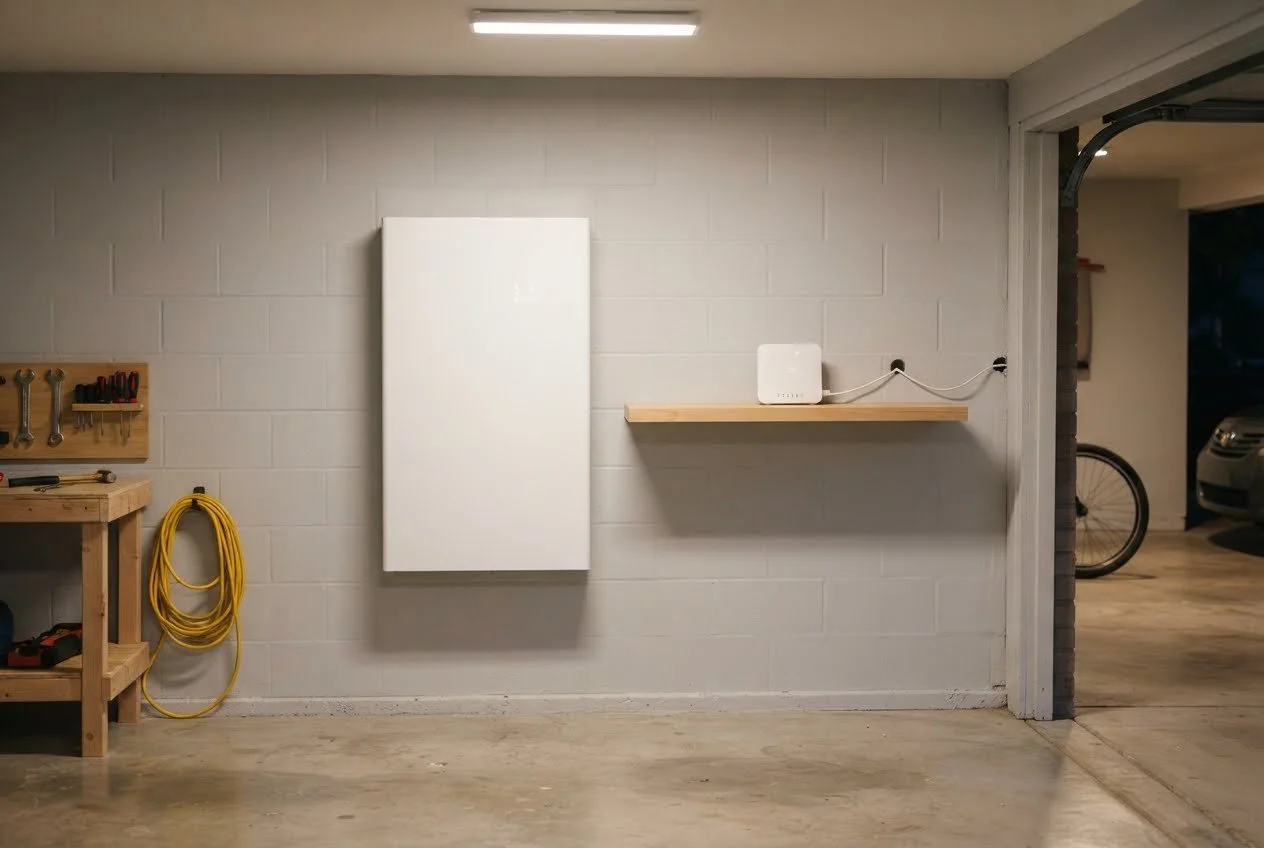
Want hour-by-hour runtimes for Starlink on a Powerwall 3, EcoFlow and BLUETTI, plus how to set it up before a shutoff?
How to Keep Starlink Running in an Outage →What should you set up before the next shutoff?
Set up your backup internet before a shutoff warning, not during one. PG&E, for example, typically sends its first PSPS notice 24 to 48 hours ahead and a final warning just 1 to 4 hours before the power goes off (PG&E PSPS guide). That's not enough time to order and install anything.
- Sign up for shutoff alerts.PG&E customers can update their alert contacts at pge.com/myalerts. SCE and SDG&E offer their own alert sign-ups, so check yours.
- Pick your main backup connection now.Order it, set it up, and confirm the dish has a clear view of the sky before fire season. Here's how I set up Starlink for a shutoff.
- Test it on battery.Unplug from the wall, run your internet on the battery for an hour, and note how fast the charge drops. No battery yet? Compare portable and home backup batteries, and check the PG&E and SCE portable battery rebates.
- Put the dish and router on the same backup source.Your internet needs both. One without the other gets you nowhere.
- Keep a phone hotspot as your second path.Charge a power bank and keep it next to your phone.
- Save offline copies of what matters.Download evacuation maps, insurance documents and important phone numbers in case every connection drops.
Already have a home battery? Make sure the outlets for your modem, router and Starlink power supply are on a backed-up circuit. If you're not sure, ask your installer before the next shutoff.
Don't have one yet? The Powerwall Calculator shows how many batteries your home needs and your cost after any rebates your address qualifies for.
Frequently asked questions
Does cable internet work during a power outage?
Only if your modem and the provider's neighborhood equipment both stay powered. That equipment usually has backup batteries sized for hours, so cable often drops partway through a long shutoff.
Does fiber internet work without power?
Not without help. The fiber terminal at your house needs power, and your provider's backup battery may keep only the phone line working. Put the terminal and router on your own battery.
Do cell towers stay on during a PSPS shutoff?
Many do. California requires carriers to keep 72 hours of backup power at sites in high fire-threat districts, but exemptions exist and towers can get overloaded. Treat your phone hotspot as a second path, not your only one.
What is the best backup internet for storms and outages?
Satellite internet like Starlink, powered by a battery at home. It doesn't depend on local lines or cell towers, though heavy rain can slow it. See how to keep Starlink running in an outage.
How much power does Starlink use?
About 75 to 100 watts on average for the Standard kit, and 20 to 40 watts for the Starlink Mini. Check your kit's exact rating in the Starlink app.
Will a home battery keep my internet on for a whole shutoff?
Yes, if it's sized for your home. A Powerwall paired with solar can recharge during the day and carry your internet and essentials through a multi-day shutoff. Use the Powerwall Calculator to see how many batteries you'd need.
Can I just run my internet on a gas generator?
Yes, if you already own one. California's Air Resources Board requires new portable generators to meet zero-emission standards starting with model year 2028, but you can keep using the one you have. Run it outdoors, away from windows, and plan for fuel and noise. See how a portable battery compares to a generator.
Ready for the next shutoff?
Keep your internet, and the rest of your house, on. See how many batteries your home needs and your cost after any rebates your address qualifies for.